 FixKit — PC Repair Toolkit: Fix Windows ErrorsWindows app
Fix Windows errors in one click, with a restore point first
FixKit is a PC repair toolkit that scans your PC, shows what is actually wrong in plain English, and fixes it when you press a button. No terminal, no typing.

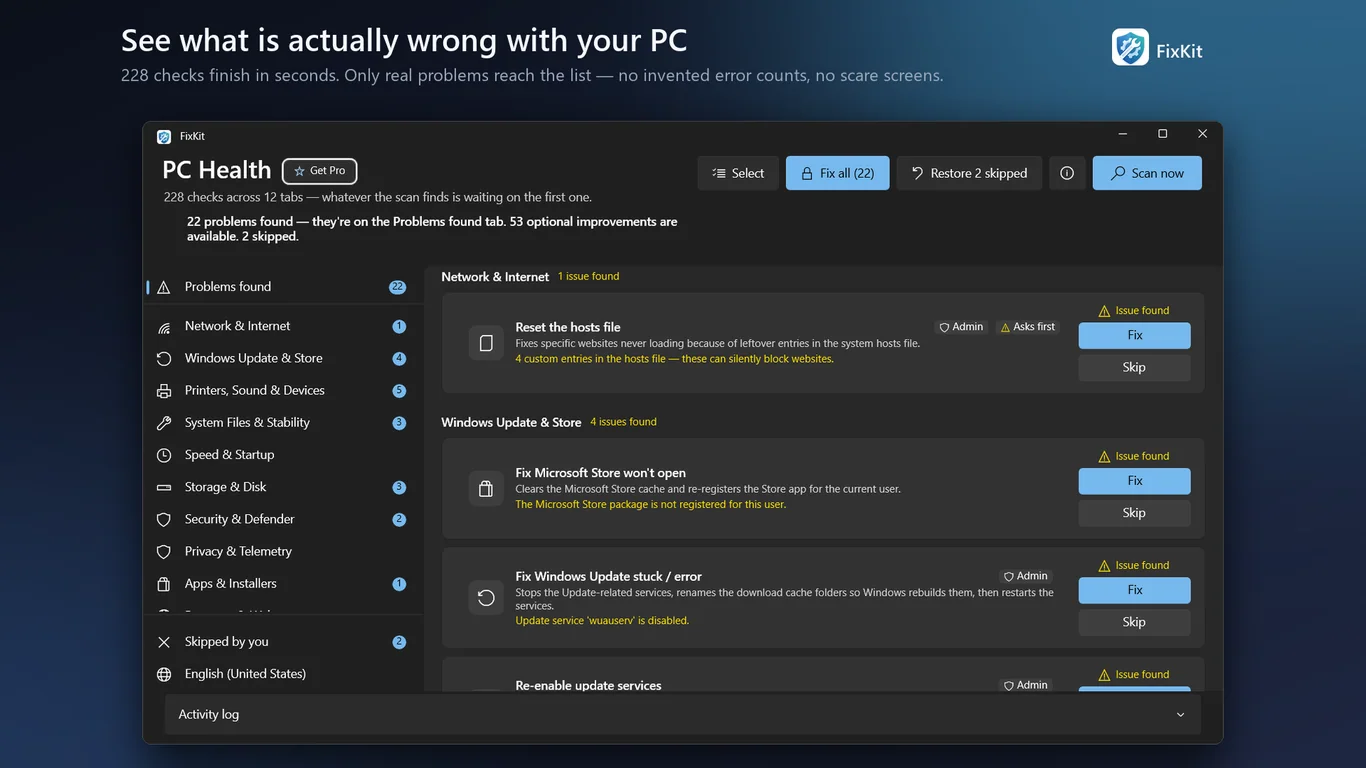
Everything you need to fix Windows problems
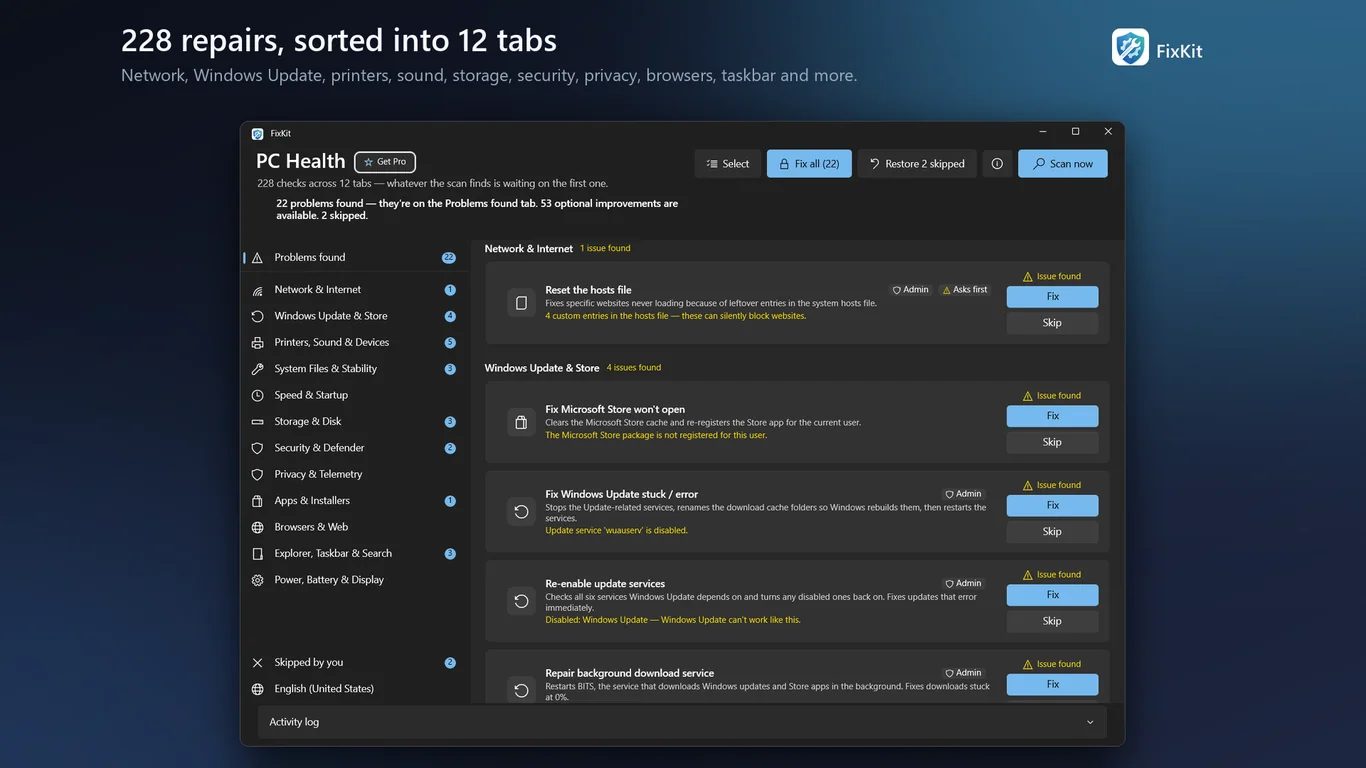
228 repairs in 12 categories
Network, Windows Update, printers, sound, storage, security, privacy, browsers, taskbar, power and more. Browse them or search.
Read-only scan on launch
FixKit checks your PC when it opens. The scan needs no admin rights and changes nothing. Real problems show up first.
Fix Wi-Fi, sound and printers
Flush DNS, reset Winsock, reset the audio stack, clear stuck print jobs and fix an offline printer, without typing a command.
Repair Windows Update and system files
Reset stuck update components, fix Microsoft Store errors, and repair damaged system files with DISM and SFC.
Free up space and speed up startup
Clear temp folders, crash dumps and old update files. Review startup programs and trim visual effects.
Built not to make things worse
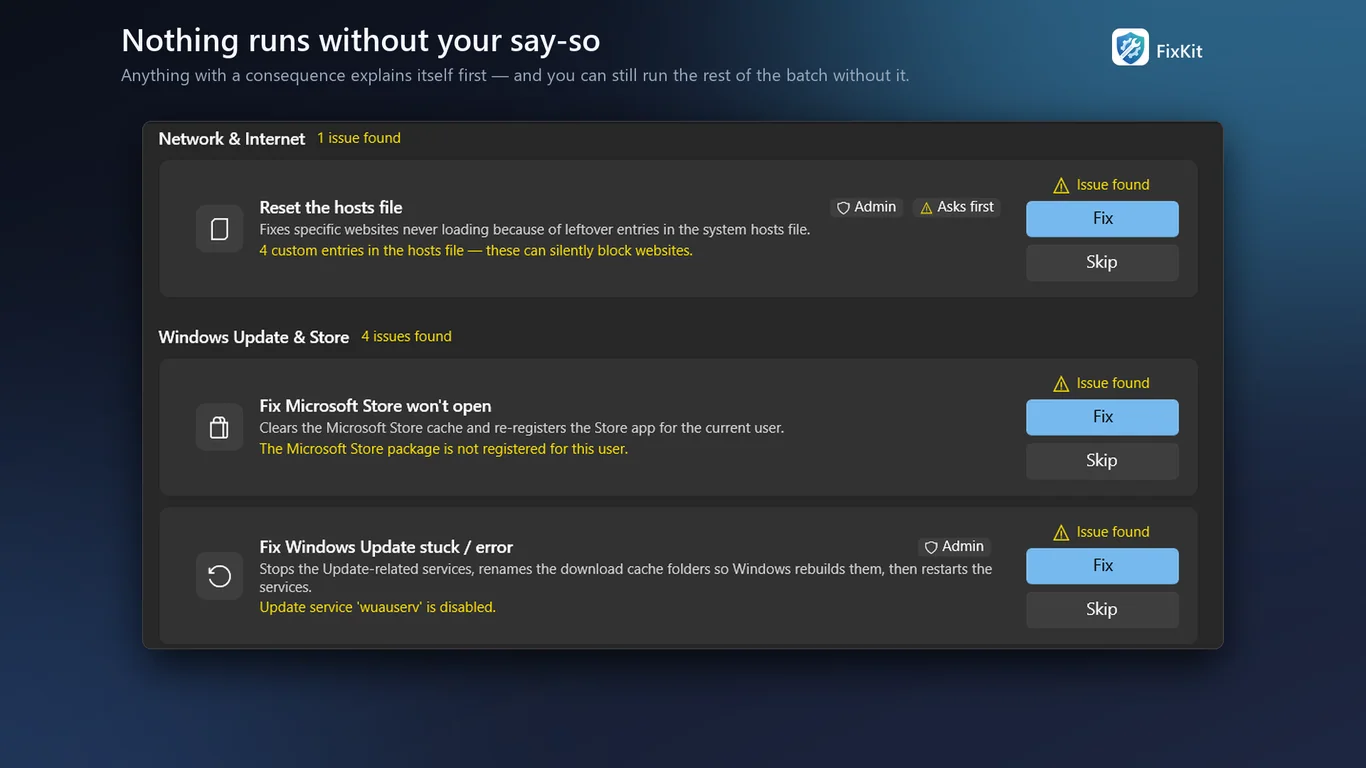
A restore point is created before repairs that need admin rights. Repairs with side effects warn you first.
How it works
- Get it from the Microsoft Store and open FixKit. It scans your PC right away.
- Check the "Problems found" tab. Each item says what is wrong and what the repair will do.
- Press Fix on the ones you want. FixKit asks for admin rights only when a repair needs them.
Screenshots
Great for
Wi-Fi says "No internet"
Flush DNS, renew your IP address or reset the network stack in a click, instead of searching for commands.
Windows Update is stuck
Reset the update components and clear leftover policies when updates sit at 0% or keep failing.
Printer offline or no sound
Clear stuck print jobs, restart the Print Spooler or reset the Windows audio stack.
Start menu or Search won't open
Restart Explorer, rebuild the search index and reset the icon and thumbnail cache.
FixKit Pro
- Batch repair: tick several problems and fix them all from one Administrator prompt
- Save the activity log to a file
Optional convenience, not a subscription. All 228 repairs stay free, one card at a time.
FAQ
Is FixKit safe to use?
Scans are read-only. Nothing changes until you press Fix. A restore point is created before repairs that need admin rights, and repairs with side effects warn you first. Every repair uses a documented Windows mechanism.
Is FixKit free?
Yes. Scanning and all 228 repairs are free and unlimited. FixKit Pro is an optional one-time purchase (4.99 USD) that adds batch repair and saving the activity log. There is no subscription.
Does FixKit collect my data?
No accounts, no ads and no third-party analytics. Scans and repairs run on your PC. It only asks microsoft.com for the date to check your clock, and uses the Microsoft Store for Pro purchases.
What Windows versions does it support?
Windows 10 version 1809 or later, and Windows 11. Some repairs ask for administrator rights when you run them. FixKit is available in 11 languages.
How do I fix Windows errors with FixKit?
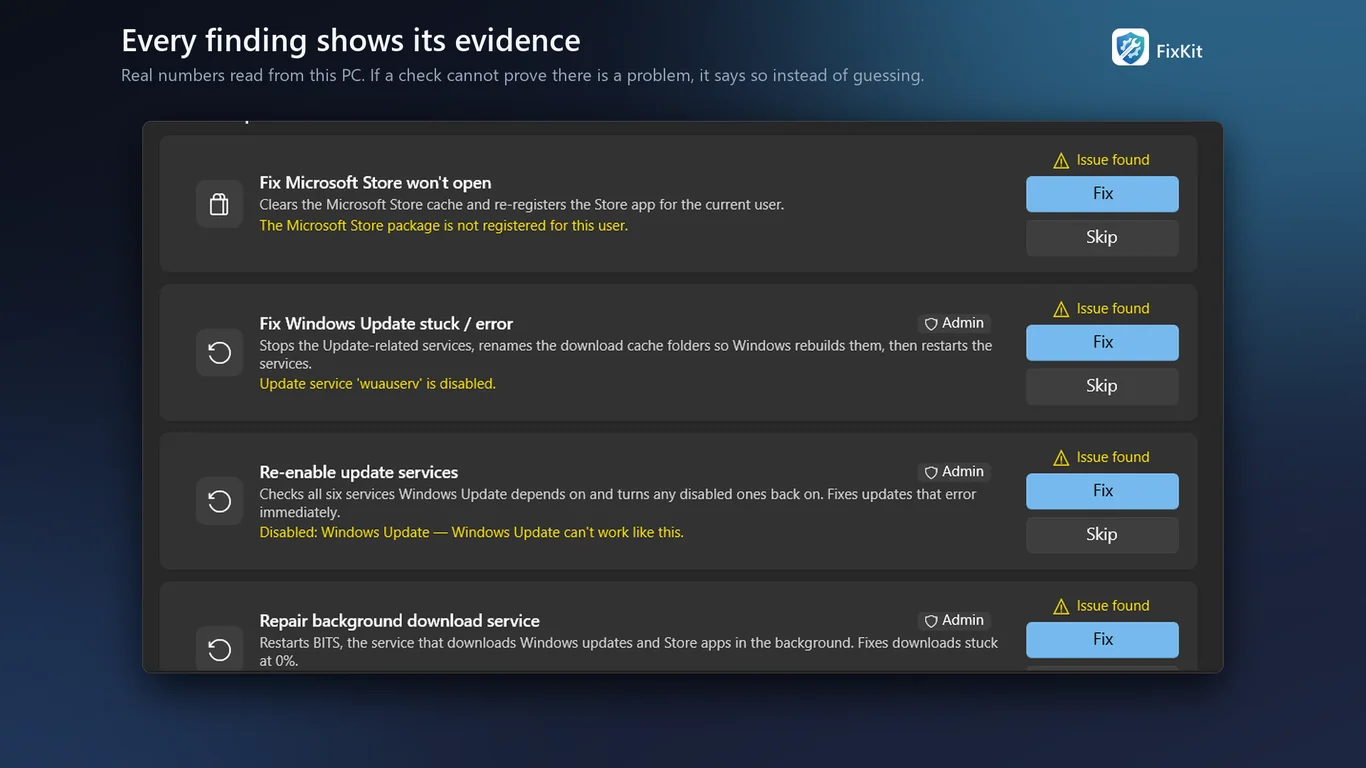
Open FixKit and let it scan. Look at the Problems found tab, read what each repair does, then press Fix. FixKit shows evidence for each finding instead of guessing.
Is FixKit a registry cleaner or antivirus?
No. It is a repair toolkit. It does not promise to make your PC faster than it was, and it does not count problems to scare you into buying anything.
Get FixKit from the Microsoft Store